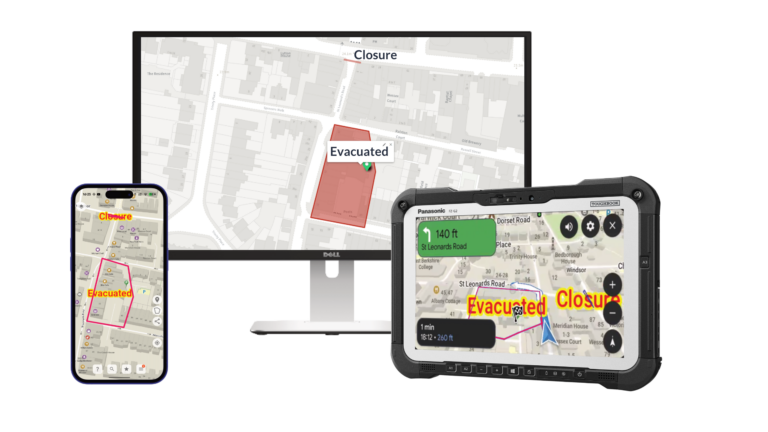
When a dispersal area is authorised, a cordon established, or an RVP set — how does every responder on the ground know the detail?
Today, it’s usually a radio message. Half-heard at speed. Or a screenshot of Google Maps that has been drawn over, sent to a WhatsApp group that gets checked when the shift’s over.
Blue Light Maps replaces all of that with a shared map layer that every crew member can see, edit, and navigate from – in real time, on the same device they’re already using.
How it works
Any crew member can open the overlay and draw on it: drop a pin, draw a boundary, mark a hazard, label an area. Whatever they draw appears on every other device connected to the same overlay – instantly.
No mis-translation of radio descriptions. No waiting for control to relay information. If someone can draw it, everyone can see it.
The officer first on scene marks the RVP. Arriving crews navigate straight to it. A firefighter flags a blocked access route. Every appliance behind them knows before they turn the corner. A supervisor draws a search sector – the team on the ground sees their area without a briefing.
Command Map: plan from a web browser
Not everything happens in real time on scene. Pre-planned events, public order operations, and multi-agency responses often have a planning phase where the operational picture is built in advance.
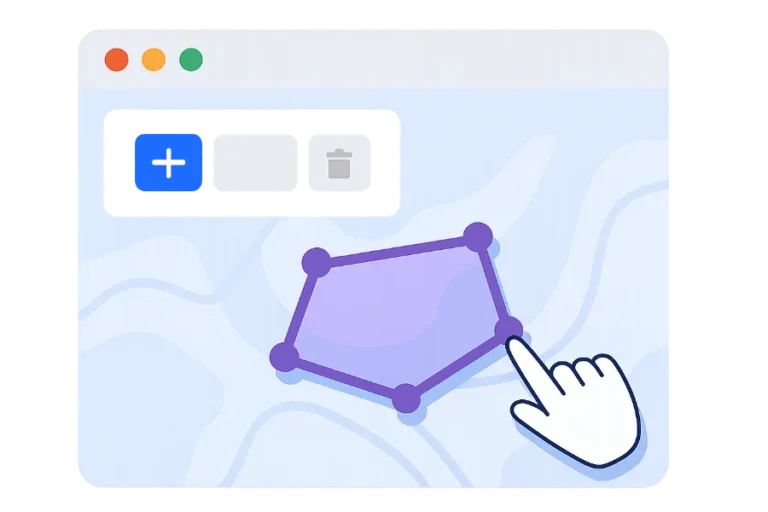
Command Map is a web-based tool that lets planners and supervisors draw overlays from a browser. Cordons, access routes, RVPs, medical points, vehicle marshalling areas — built on a desktop screen, then pushed to every frontline device before the operation begins.
When the plan goes live, it works both ways: updates made on the ground by crews sync back to Command Map, giving supervisors a live view of how the operation is developing.
Live location sharing
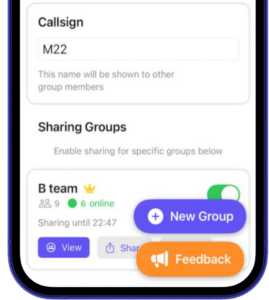
Enable location sharing and supervisors, control rooms, and crew members can see where colleagues are on the map in real time.
During a missing person search, this means seeing coverage build across search sectors – no duplicate effort, no gaps. During a public order event, it means knowing which units are where without radio checks. During a pursuit, it means the control room tracks the vehicle’s position on the same map that shows the cordon being set up ahead.
Location sharing is optional and can be crew-controlled. It can be enabled per-operation or left on continuously, depending on your service’s policy.
Use cases
Planned events
Marathons, festivals, football matches, protests. Share medical points, access routes, road closures, and RVPs with every crew before they arrive. As the event develops, update the overlay and everyone sees the change — no re-briefing required.
Missing person searches
Divide search areas across teams and watch coverage build in real time. Each team can see which sectors are complete, which are in progress, and where gaps remain. No clipboard at the command post. No radio check every 15 minutes.
Firearms incidents
Share no-go zones instantly on the maps crews are using for unrelated calls. An armed incident in one area triggers an overlay that every nearby unit sees — whether they’re responding to it or not. Staff safety, without relying on radio broadcasts that may not reach everyone.
Large-scale incidents
Major RTCs, building fires, flooding. The first crew on scene marks access points, hazards, and staging areas. Every subsequent unit arrives with the picture already built. As the incident develops, the overlay develops with it.
Mutual aid and cross-border responses
When crews from neighbouring services attend an incident, they’re working from the same map. No need to learn local geography from a verbal briefing, the overlay shows what they need to know.
What makes this different from WhatsApp / screenshots / radio?
The question isn’t whether your crews share information during incidents – they already do. The question is how efficiently and reliably that information reaches everyone who needs it.
A radio message describing a cordon location requires the listener to be on the right channel, listening at the right moment, and able to mentally map a verbal description to geography. A screenshot sent to a group chat requires someone to open it, zoom in, and orient themselves. Both methods break down as the number of people involved increases.
A shared overlay is on the map. It’s always there. It updates itself. Crews don’t have to go looking for the information – it’s on the same screen they’re using to navigate.
Works across all your devices
Shared overlays sync between phones, tablets, Toughbooks, and the Command Map web interface. A supervisor drawing a cordon on a desktop in the control room sees it appear on the Toughbook in an appliance 30 miles away.
Everything works offline too. If a device loses signal temporarily, it syncs the latest overlay state when connectivity returns.
